Set Up Scorekeeper for 3x3 Leagues
3x3 games can be scored using the current Scorekeeper app with a few setting adjustments. Scorekeeper can be set up to assign points to individual players, or to teams only.
Before getting started, games must be set up in GameDay or Glory League using a 3x3 court name. If your courts are not currently enabled for 3x3, please contact Glory League Support.
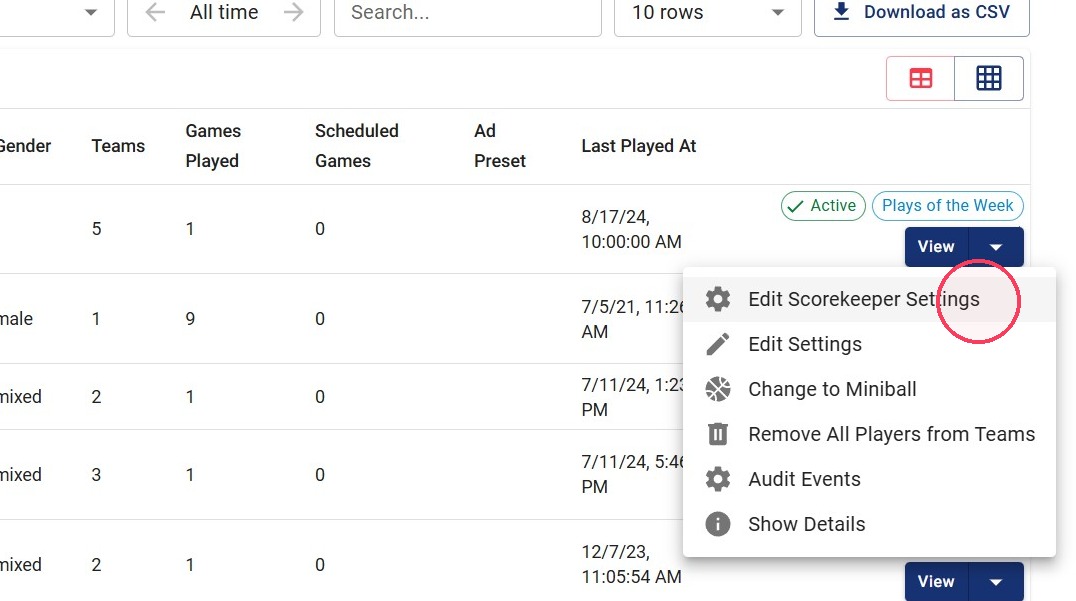
1. Click the dropdown next to the 3x3 League name. For multiple leagues, check the boxes next to each league, then select Edit Scorekeeper Settings from the button that appears above the league list.
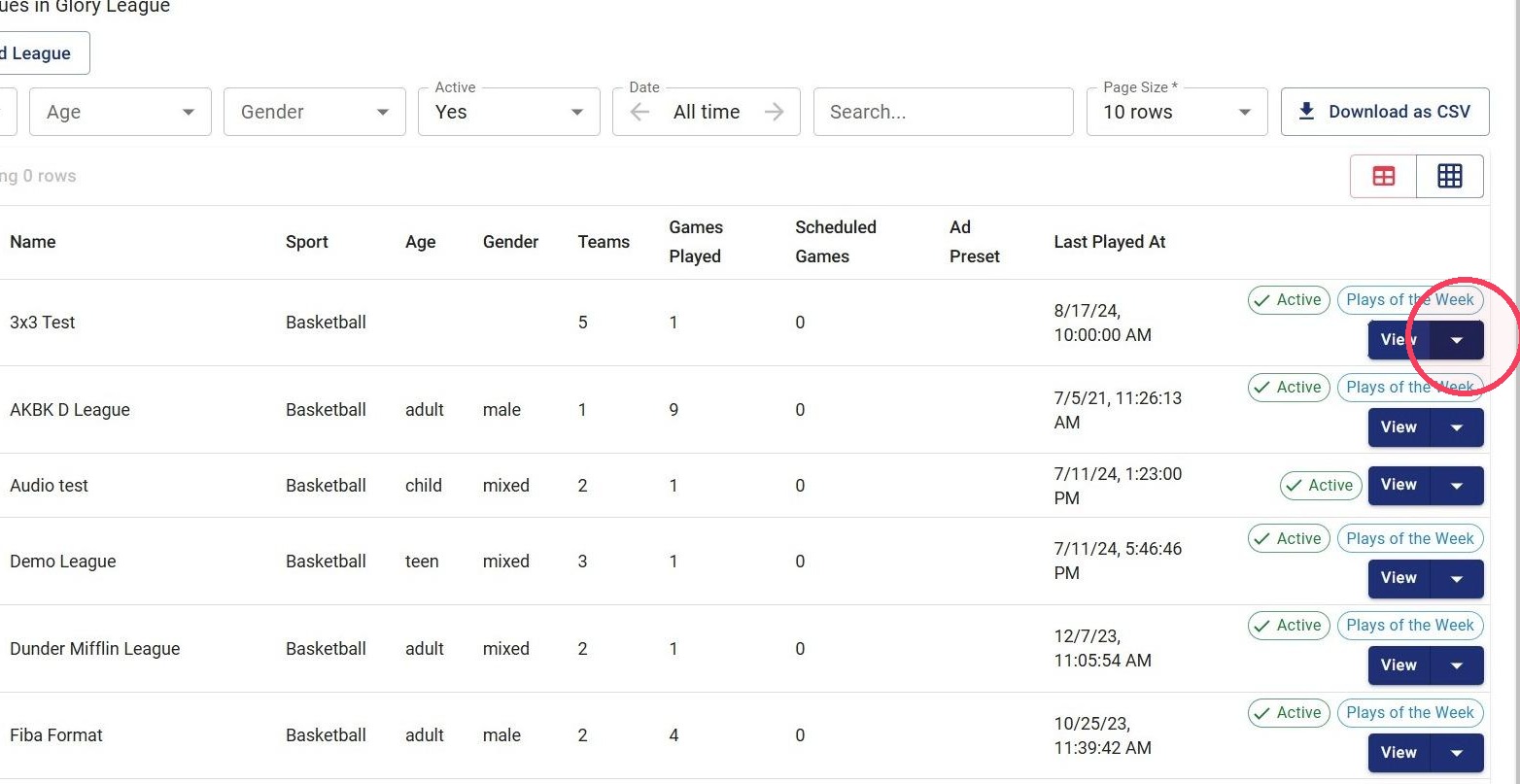
2. For a single league click Edit Scorekeeper Settings.
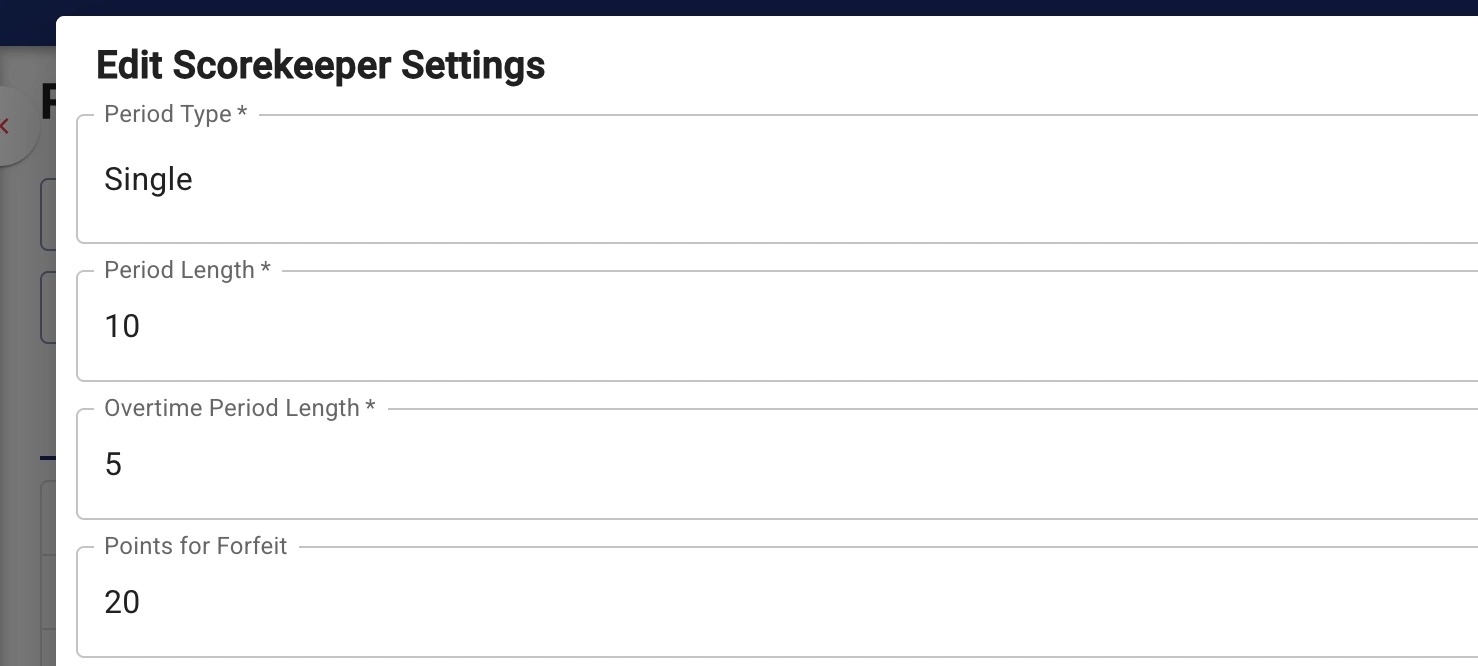
3. Update Period Settings
- Set Period Type to Single
- Set Period Length to 10
- Leave Overtime Period Length as the default as it has no impact on 3x3
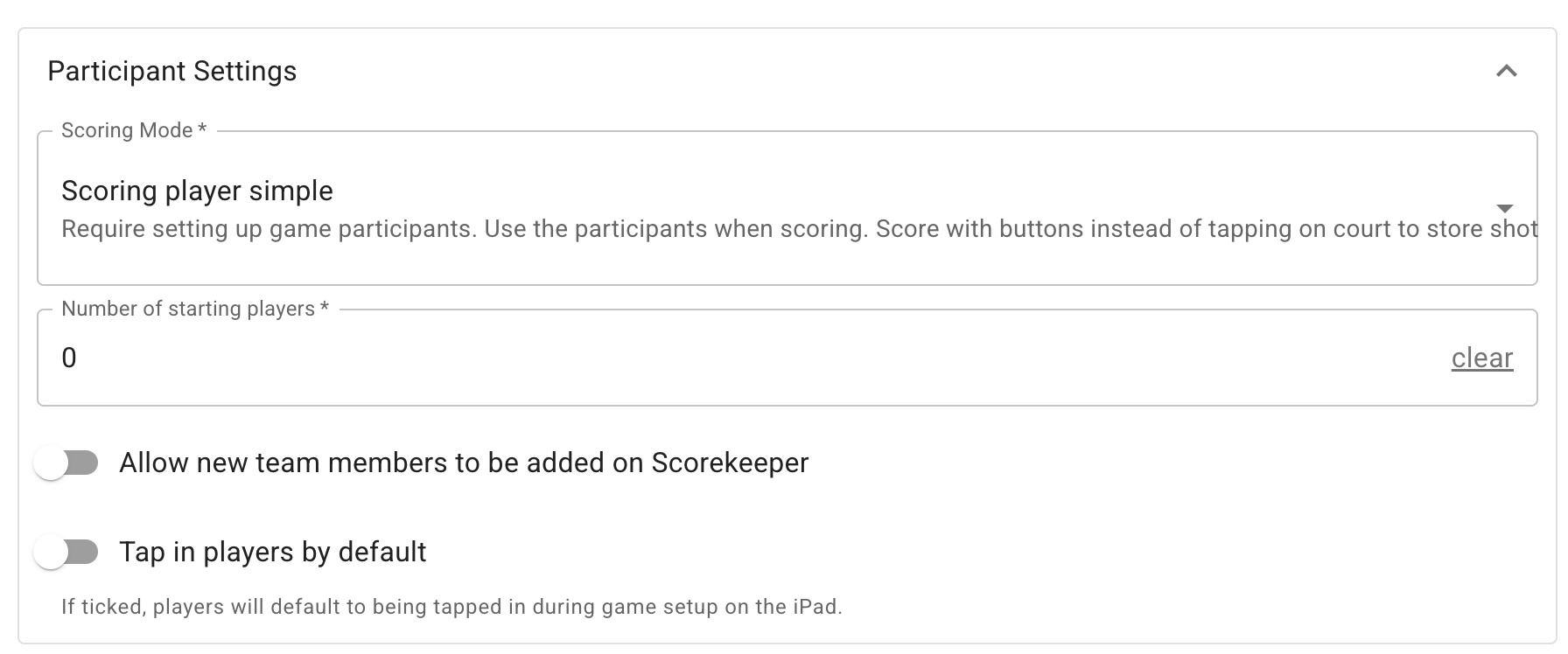
4. If players have numbers and you want points assigned to individual players, set Scoring Mode to Scoring player simple.
Leave Number of starting players as 0\
For GameDay competitions, uncheck Allow new team members to be added on Scorekeeper.
Tap in players unchecked
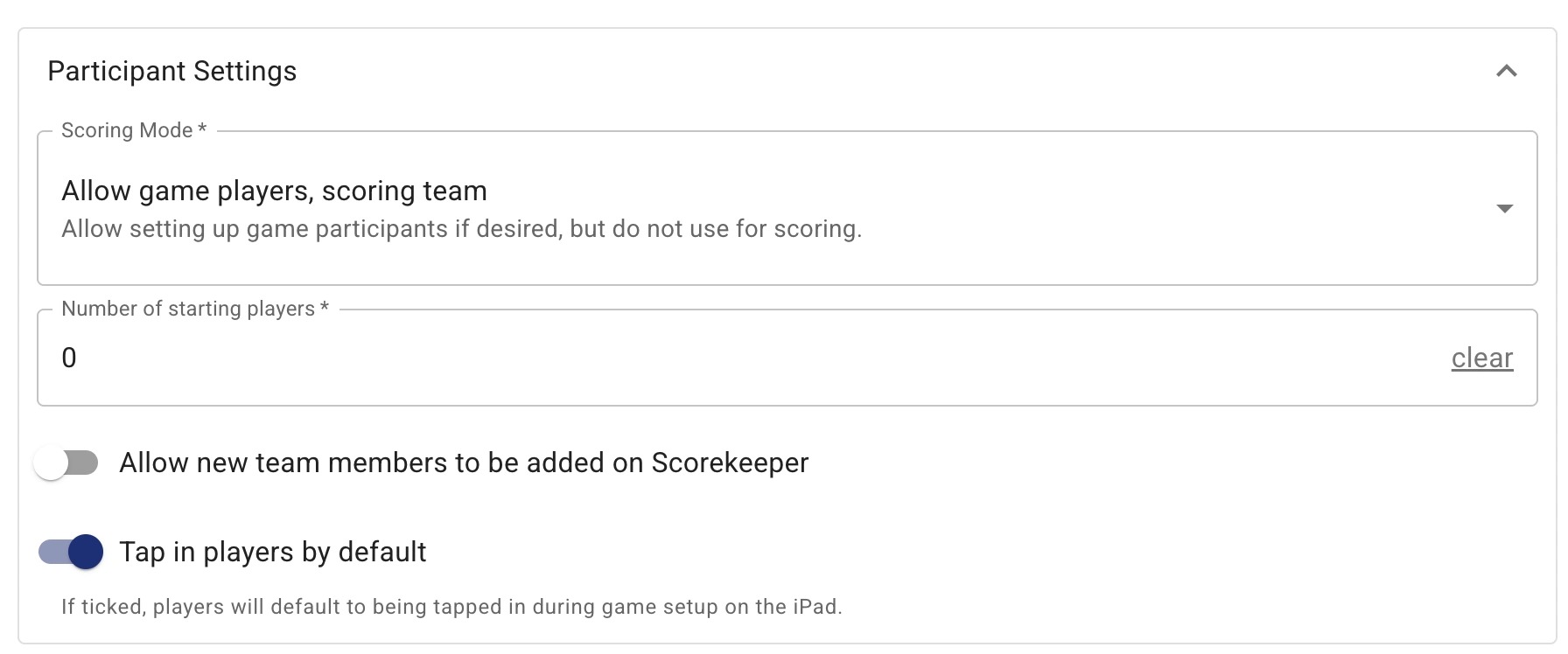
5. For competitions that do not want to assign points per player, or where players do not have numbers, set Scoring Mode to team scoring mode-- called Allow game players, scoring team.
This allows points to be assigned to the team instead of individual players and does not require player numbers to start the game.
Leave Number of starting players empty or 0.
For this mode you may select Tap in players by default so all players are automatically checked into games.
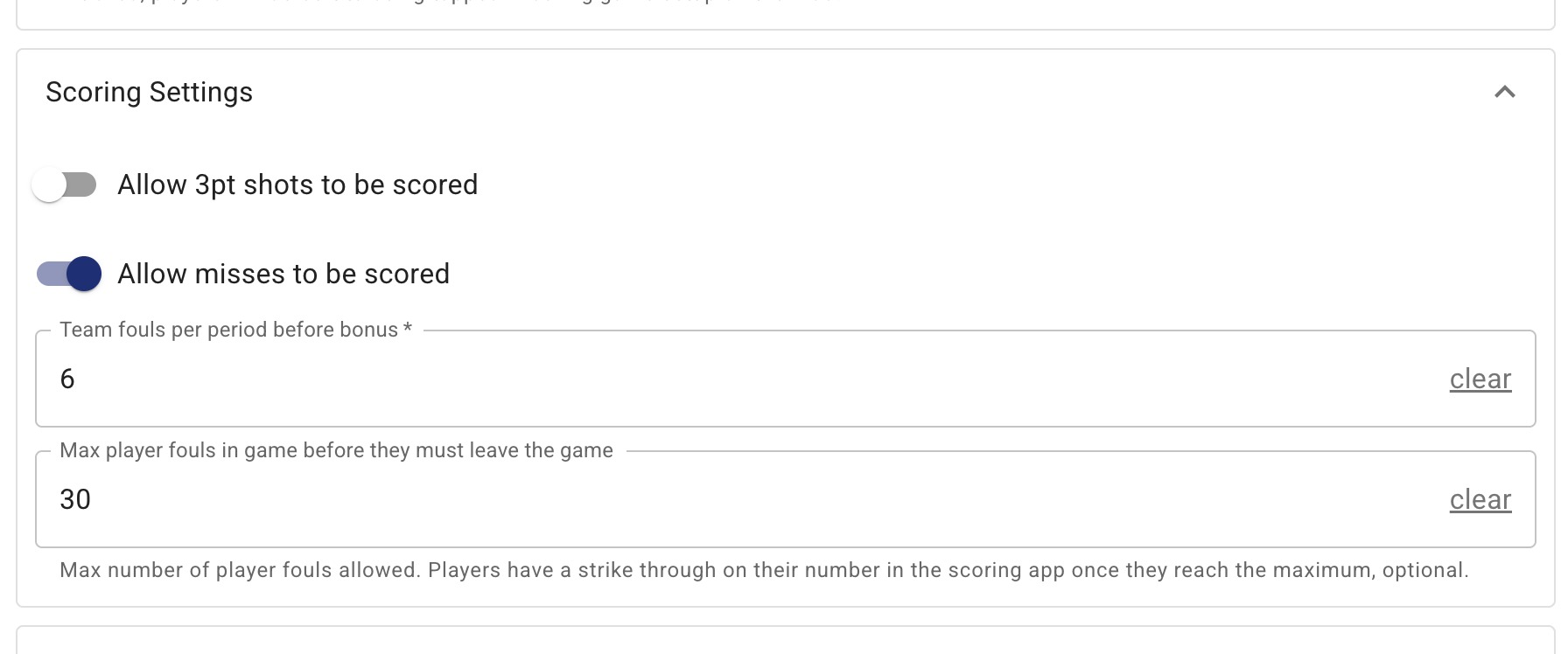
6. - Uncheck Allow 3pt shots to be scored.
- Misses are optional.
- Set team fouls to 6
- Max player fouls to 30.\\In team scoring mode you may clear the max player fouls and leave it empty.