Create a New User Account
Guide to show you how to create a new user account for a person, this can be used to create a user for new admin or for members outside of competition management software.
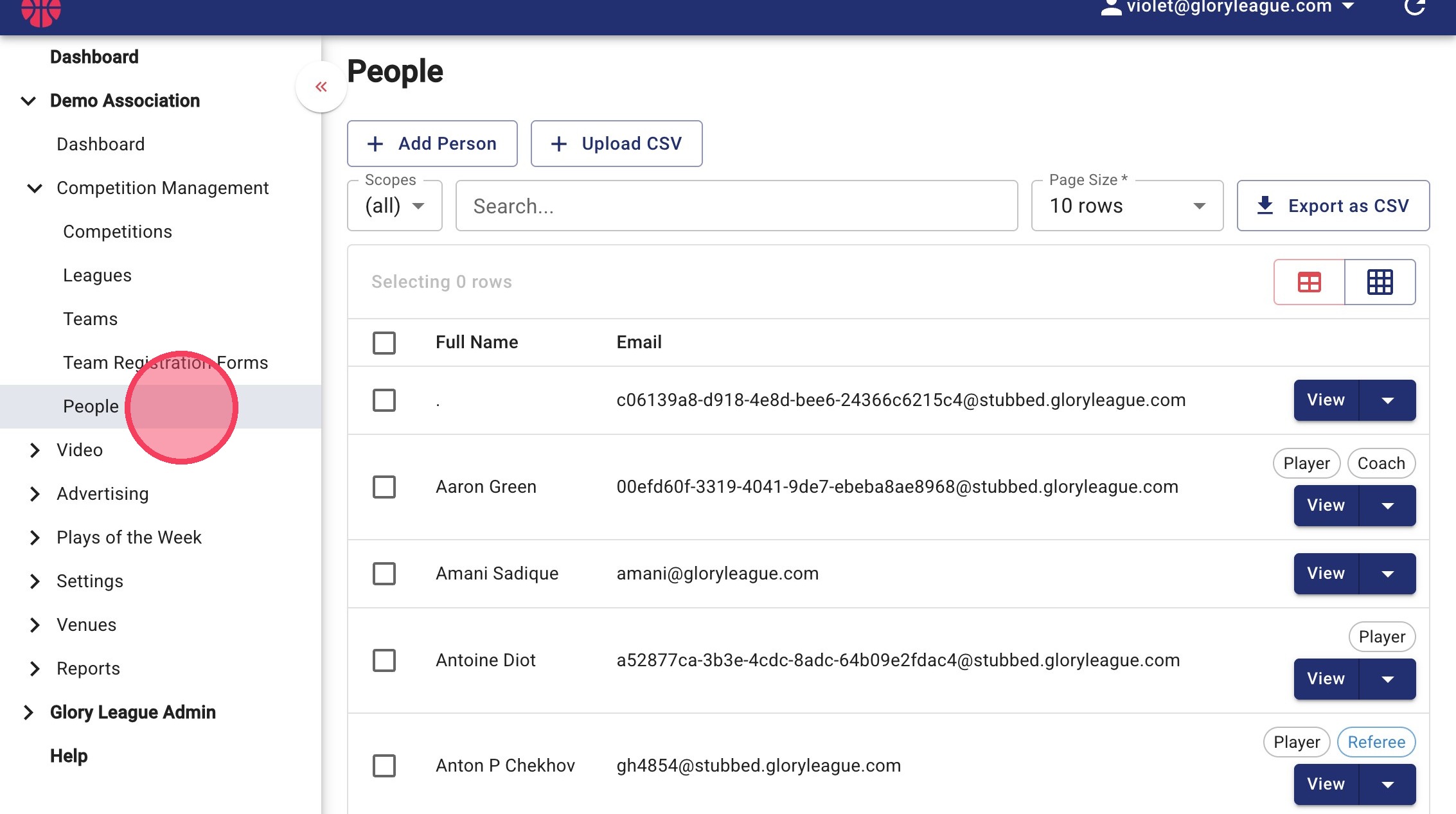
1. From the sidebar menu, within Competition Management click People.
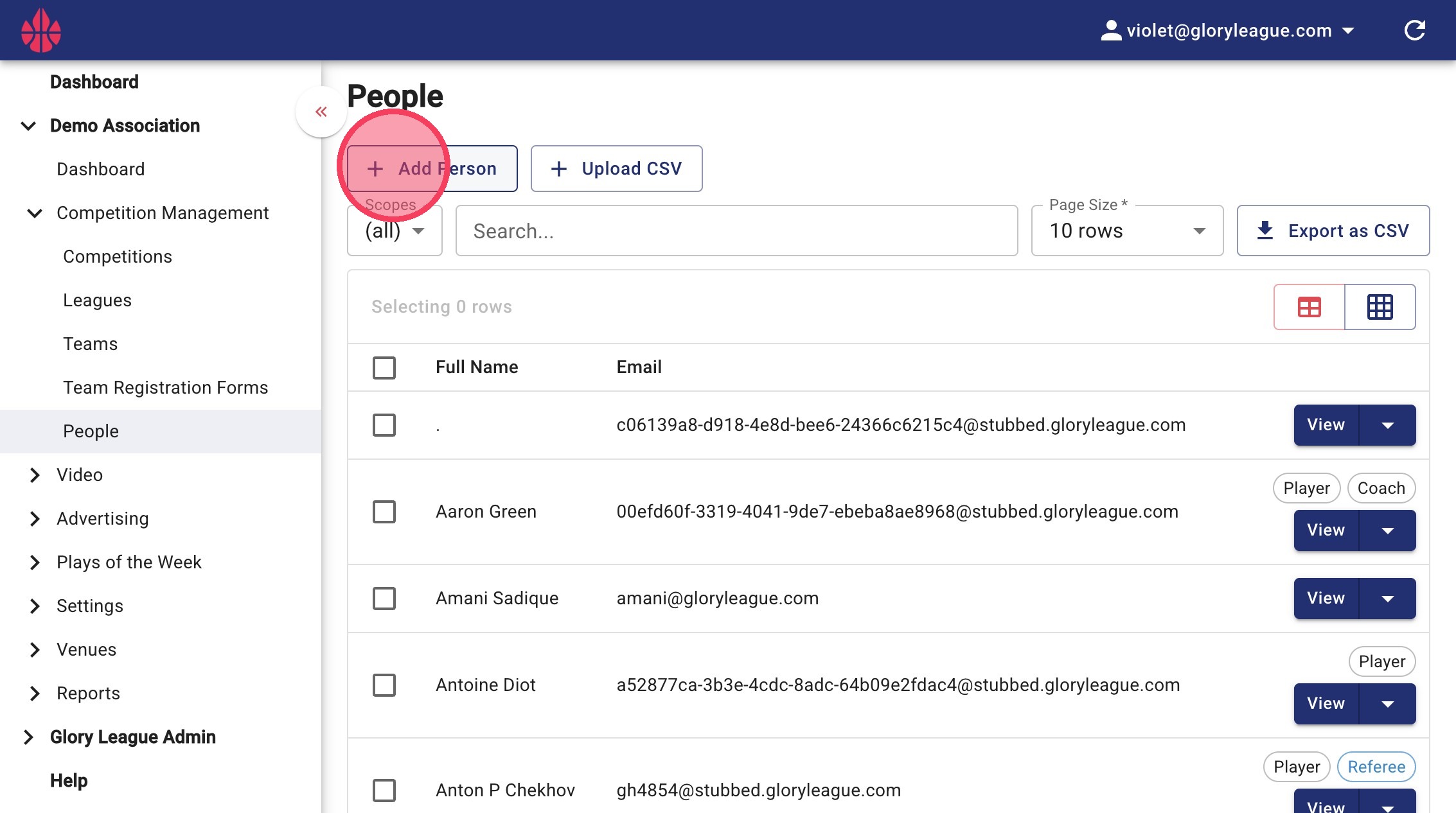
2. Click Add Person.
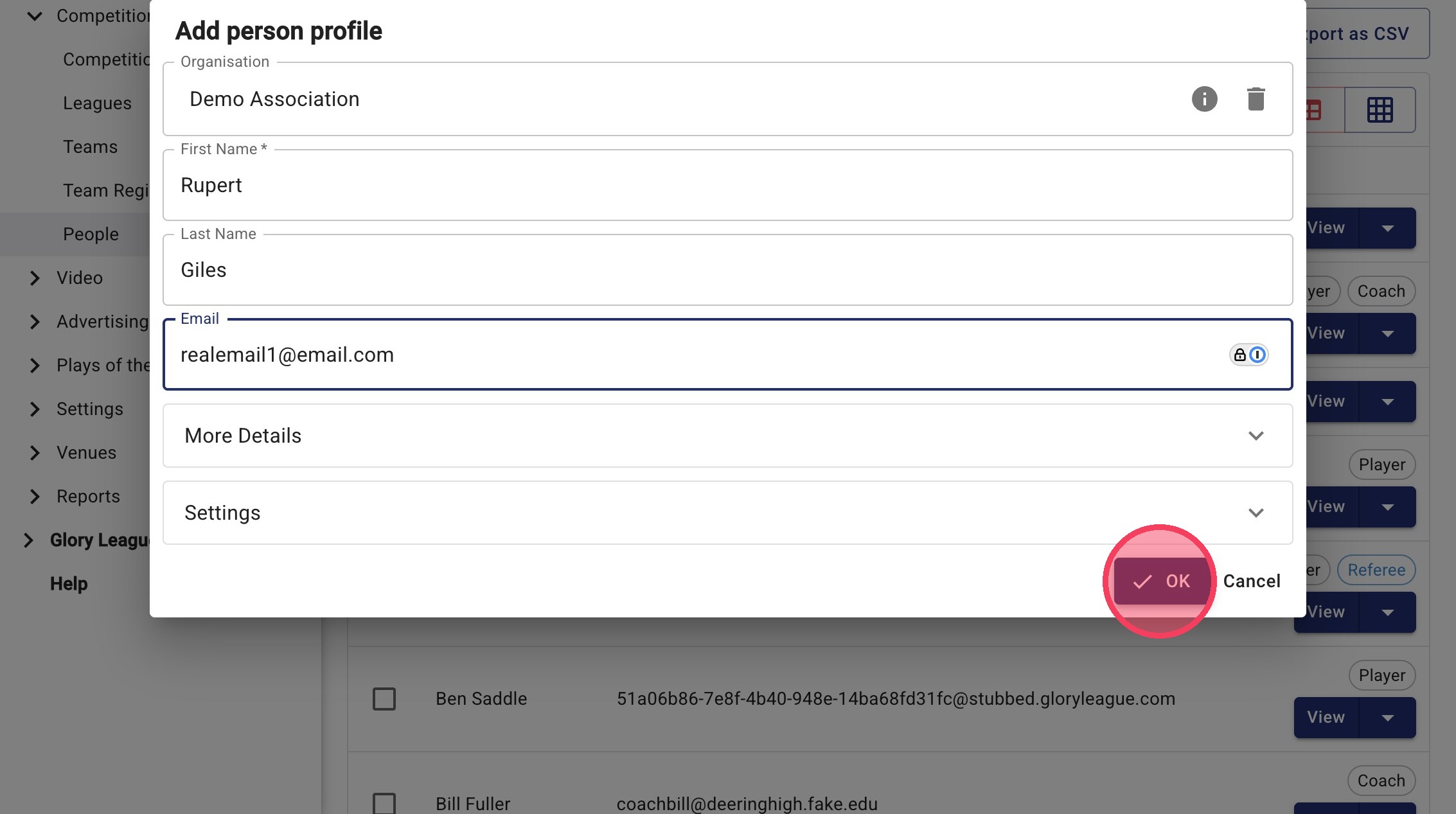
3. Enter the users details and click OK. If you enter an email address for the new user they will automatically receive a welcome email from us that allows them to set a password.