
Disable Video Recording for a Team
This feature is to be used when there are privacy concerns surrounding a player or team who can not be recorded. Once video recording permission is removed, Glory League will not record any future games involving that team.
Note: This setting only affects future recordings. If previously recorded games also need to be restricted, use the Deny Access option as outlined below.
1. Click Teams
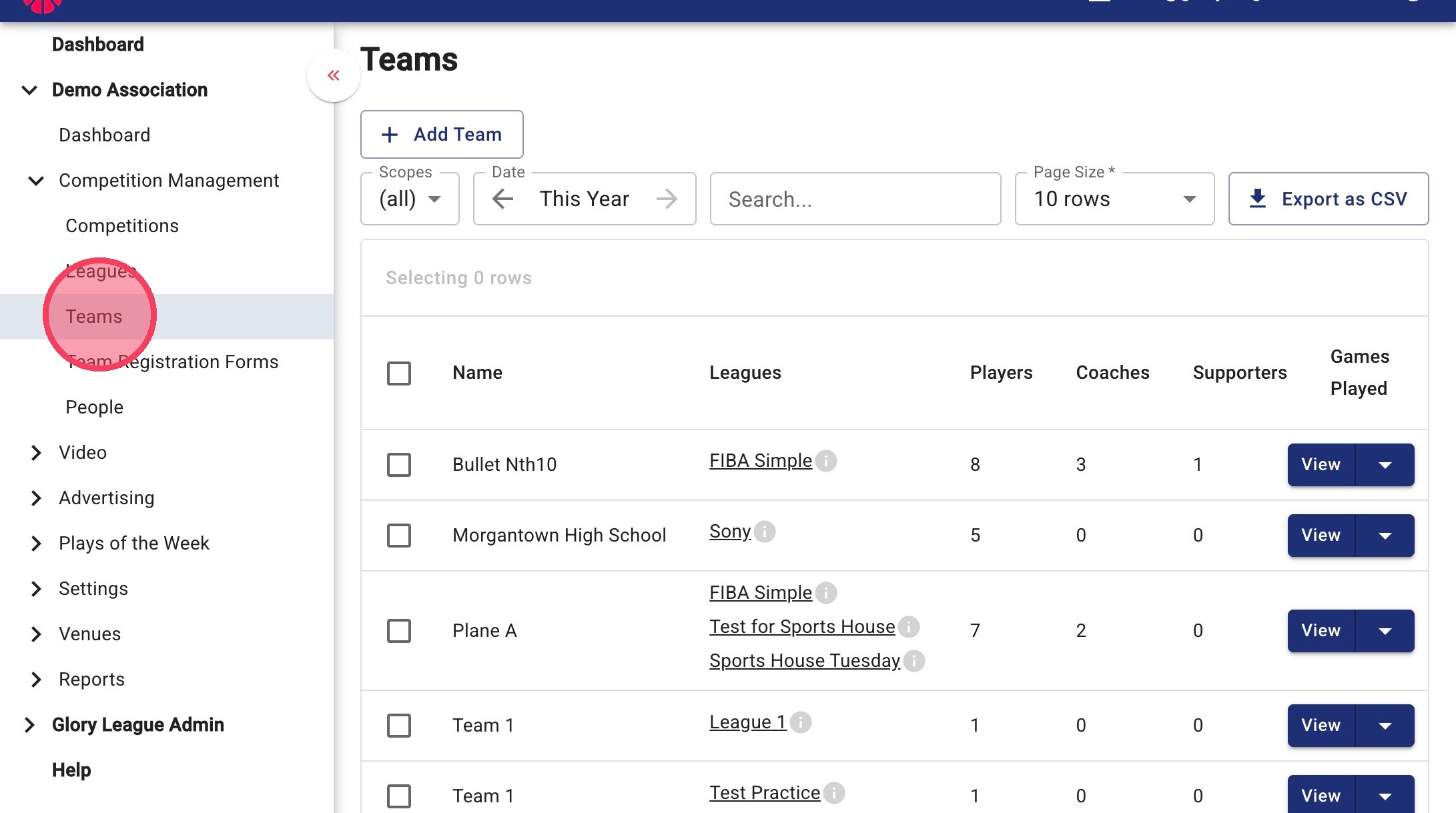
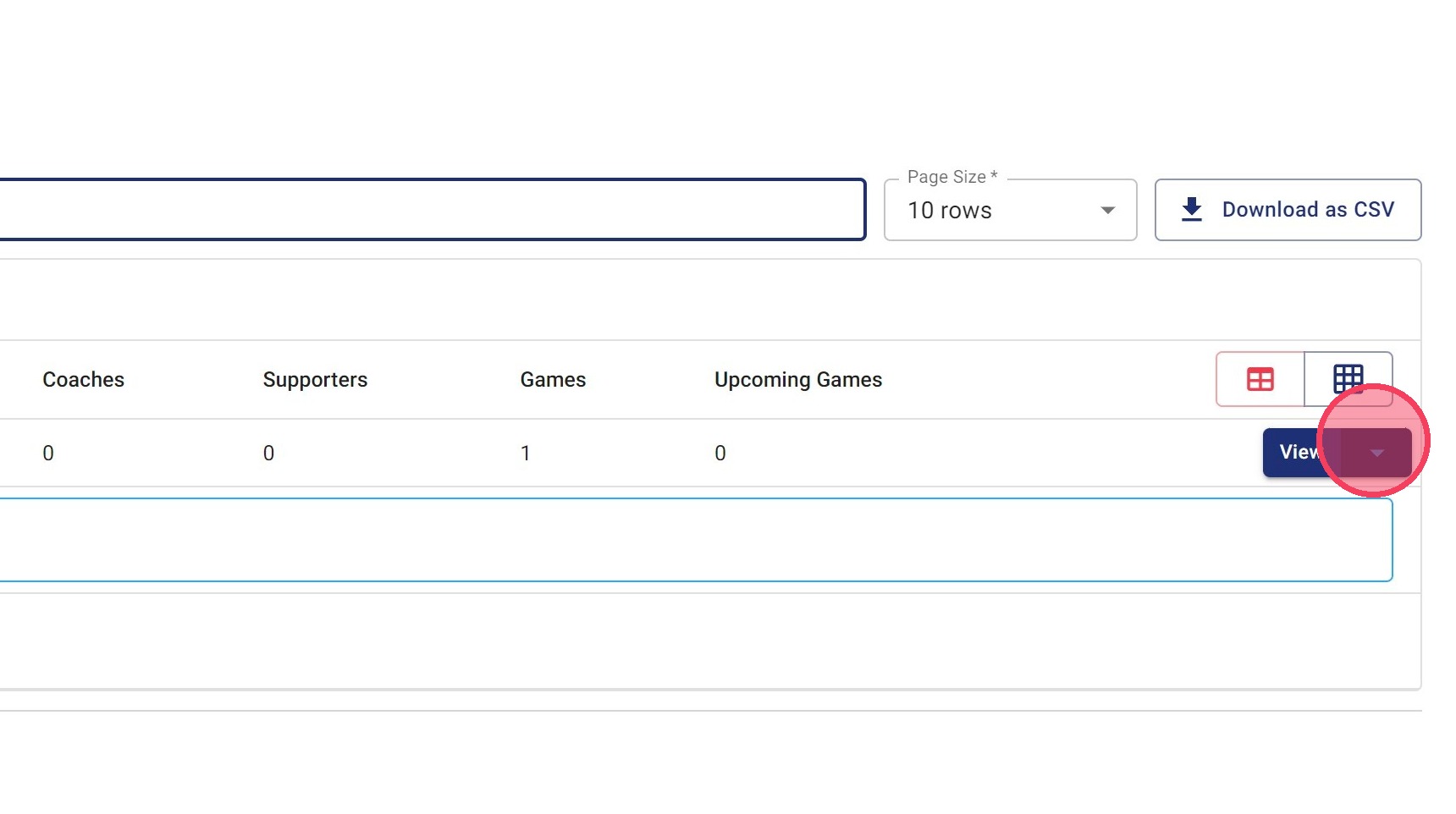
2. Search for the team you would like to update, then click the dropdown menu/View beside the team name.
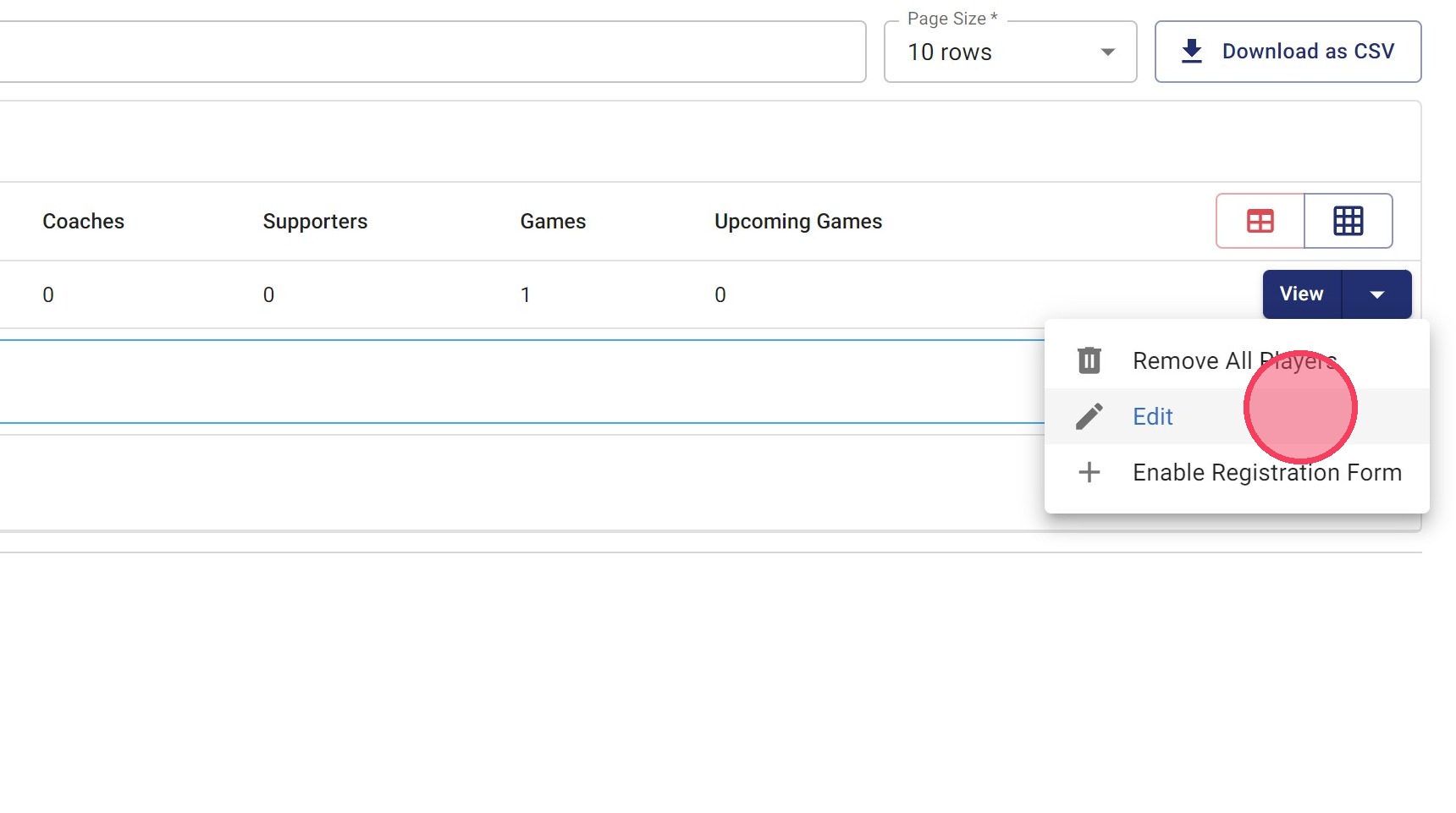
3. Click Edit
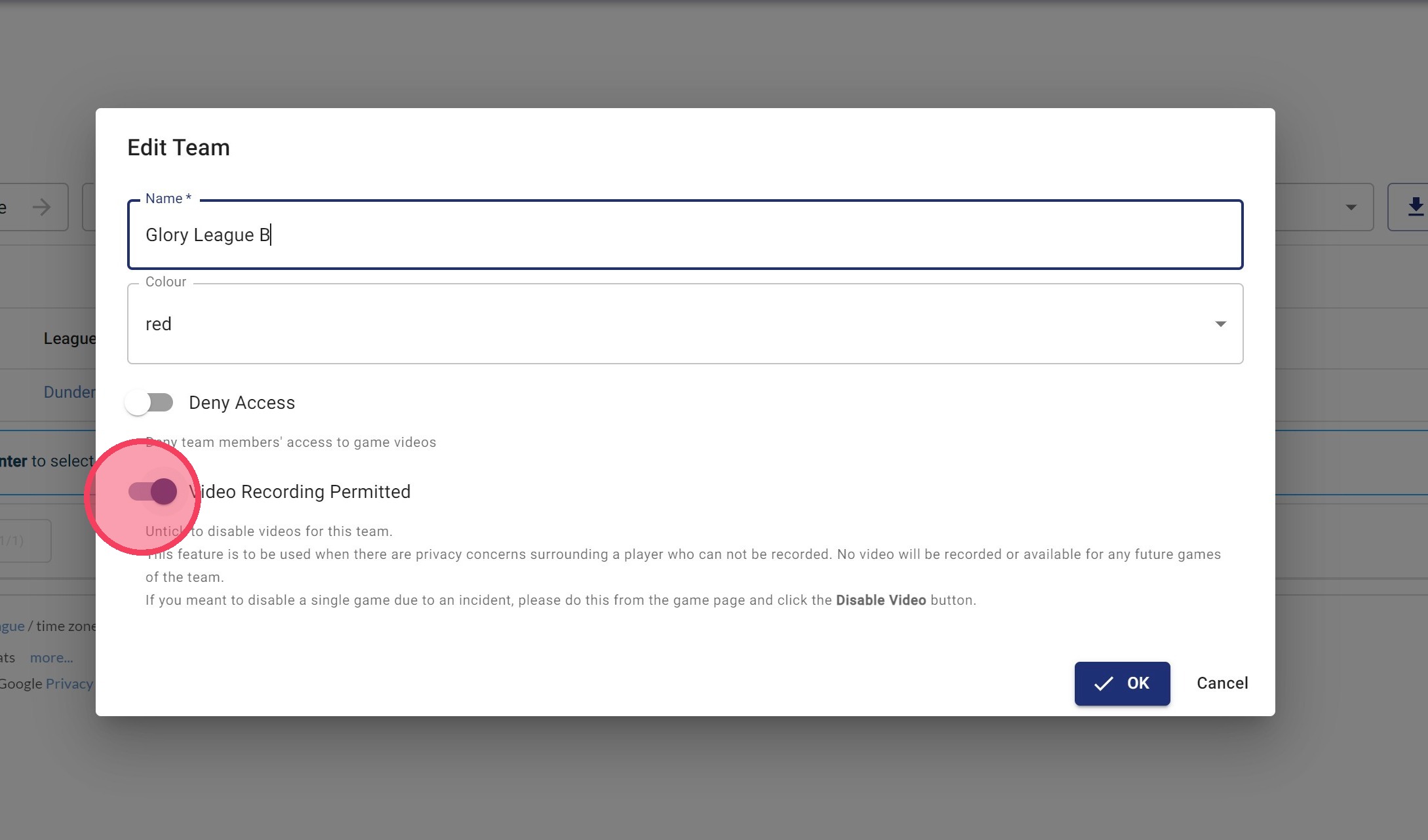
4. Click the Video Recording Permitted setting and disable it. If previously recorded games also need to be blocked from viewing, select Deny Access. Click OK to save your changes.
What Happens Next?
- Future games involving this team will not be recorded by Glory League.
- Existing recordings will remain available unless Deny Access is selected.
- Recording can be re-enabled at any time by updating the team's settings.