
Recut a Game Video
If the original recording is still available on the server (typically for up to 7 days after the game), you can recut a game video to adjust the start time, end time, or court number.
Recutting a game replaces the existing video with a newly generated version using the updated settings.
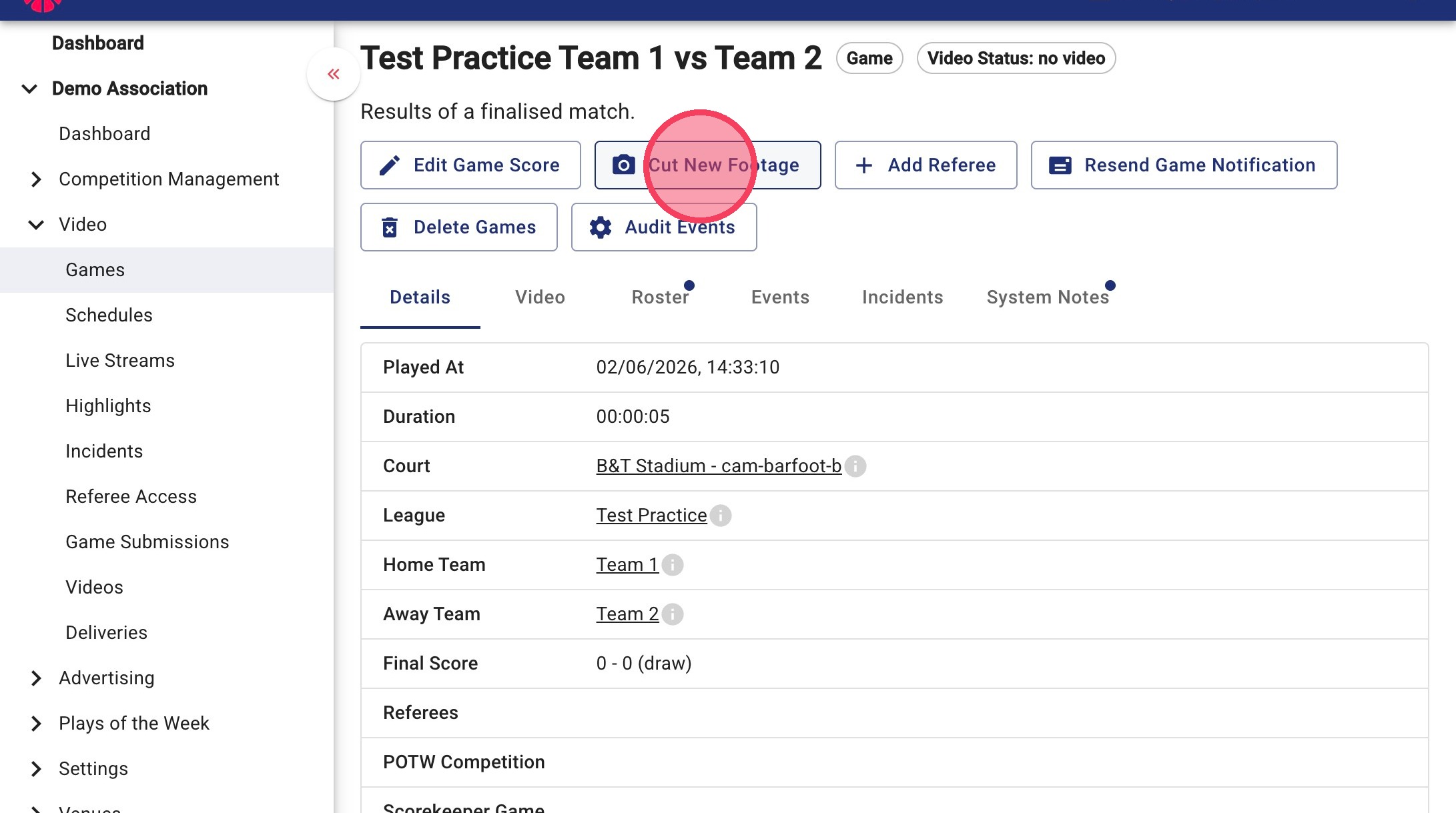
1. Open the Game Page
Navigate to the game you wish to update and click Cut New Footage.
2. Adjust the Recording Details
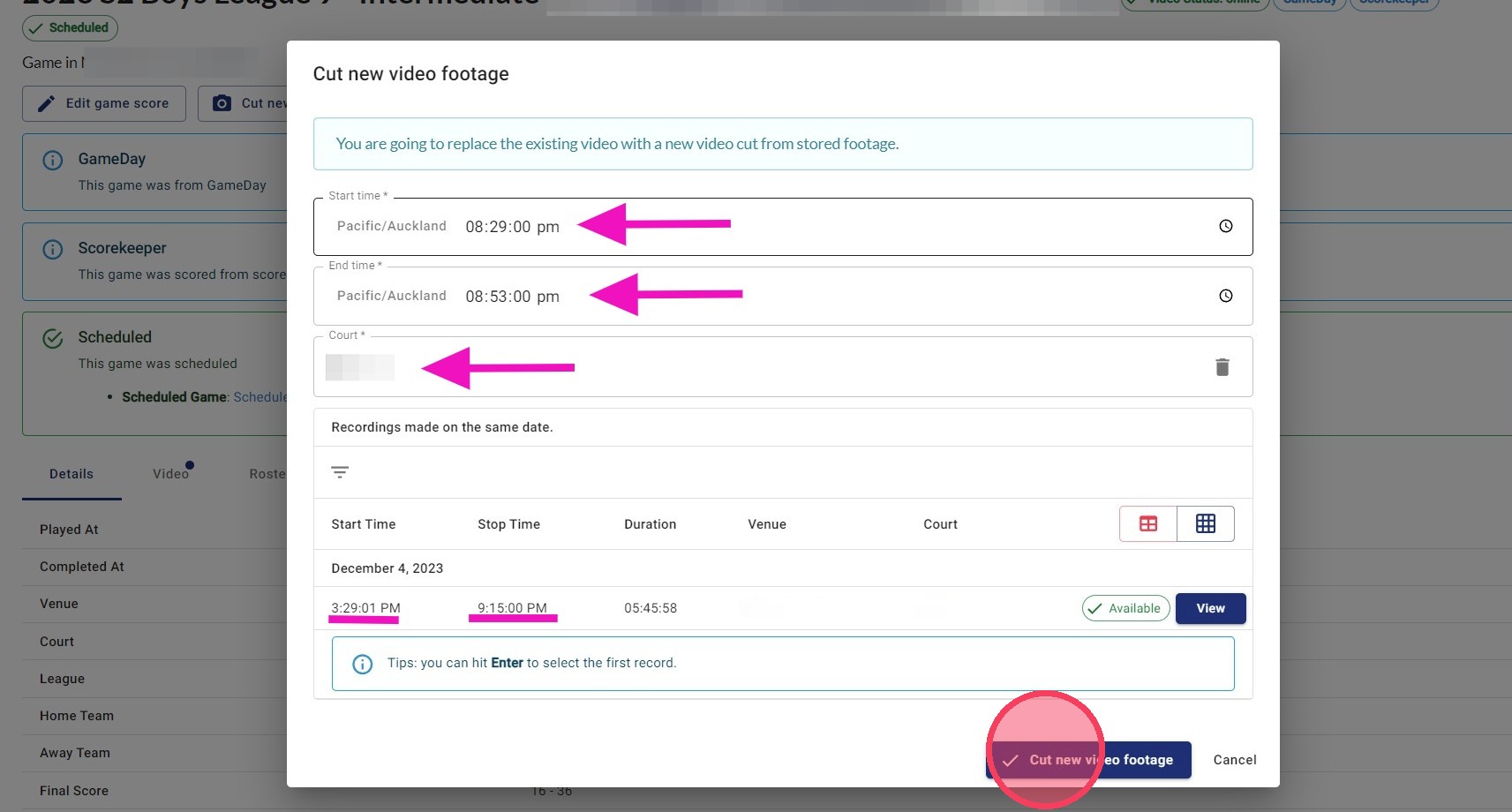
If the original footage is still available, you will see a list of Recordings made on the same date at the bottom of the pop-up window.
From here, you can adjust:
- Start time
- End time
- Court number
Once you have made your changes, click Cut New Footage.
What Happens next?
The existing game video will be replaced with the newly recut version. Processing typically takes 1-3 hours, depending on the current encoding queues.